


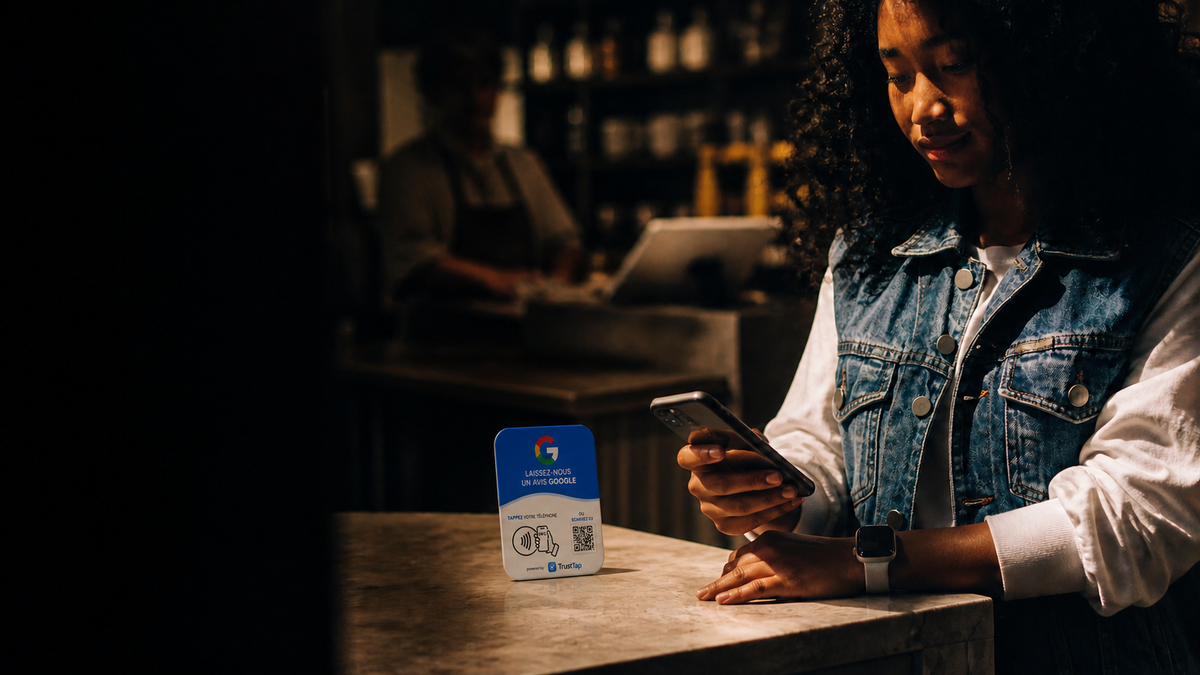
Getting more Google reviews does not require discounts, contests, or awkward pressure. The best system makes it easy for every genuine customer to share an honest experience at the right moment.
This guide explains how to build a simple, repeatable review process using a Google review card or plate with NFC and QR code. It is designed for restaurants, salons, clinics, retail stores, contractors, automotive businesses, and other local companies that serve customers in person.
Why Google reviews matter for a local business
Reviews help potential customers understand what it is like to buy from you before they call, visit, or book. They also give your team useful feedback. A steady flow of recent, authentic reviews is more credible than a sudden one-time campaign.
The goal is not to manufacture a perfect rating. It is to reduce the friction between a completed customer experience and the moment that customer chooses to leave honest feedback.
Use a direct Google review link
Start with the review link from your Google Business Profile. This link should open the correct business location and take the customer as close as possible to the review form. Test it on both iPhone and Android before sharing it.
A long URL is inconvenient at a counter. That is why businesses commonly connect the link to an NFC chip and a QR code. A customer can tap or scan instead of searching for the business name, choosing the right location, and navigating through several screens.
Place the review prompt at the moment of satisfaction
The best placement is where a natural conversation already happens after service. Put a Google review plate near the checkout terminal, reception desk, pickup counter, or consultation area. Mobile teams can carry a wallet-size review card and present it after the job is complete.
Avoid placing the sign where customers see it before they have received the service. The request feels more natural after the result has been delivered and the customer has had a chance to react.
Use a short, neutral request
Your staff does not need a complicated script. A neutral sentence is enough: “If you have a moment, you can share your experience by tapping or scanning here.” This invites honest feedback without telling the customer what rating to give.
Train the team to offer the same option consistently. Do not ask only customers who appear happy, and do not block dissatisfied customers from reaching Google. Review gating can undermine trust and may violate platform rules.
NFC and QR code: why offering both works better
NFC is fast: the customer holds a compatible phone near the plate and opens the prompt. A QR code is a useful alternative for phones with NFC disabled, customers who prefer the camera, or placements viewed from a short distance.
Using both methods on one sign removes the need to explain which technology a customer should use. The printed call to action should stay simple and readable.
What to avoid
- Do not offer discounts, gifts, entries, or other incentives in exchange for reviews.
- Do not ask for a specific star rating.
- Do not create reviews for customers or provide prewritten review text.
- Do not send unhappy customers to a private form while directing only happy customers to Google.
- Do not overwhelm customers with repeated requests after they have declined.
A practical review workflow
- Confirm that the correct Google Business Profile and location are active.
- Create and test the direct review link.
- Connect the link to a clearly labelled NFC and QR review card or plate.
- Choose one or two high-intent locations in the customer journey.
- Give staff one neutral sentence to use after service.
- Monitor review volume and reply professionally to both positive and negative feedback.
How to choose between a card and a plate
A countertop plate is best for a fixed checkout, front desk, reception, or waiting area. A portable card is better for contractors, sales representatives, delivery teams, and staff who move between customers. Businesses with several service points can combine both formats.
Choose a design that matches the viewing distance. The words “Google review,” the tap symbol, and the QR code should be visible immediately. A beautiful sign is useful only if customers understand the action.
Frequently asked questions
Does the customer need an app?
No. NFC opens a web link on compatible phones, and the QR code can be scanned with the phone camera.
Can the destination be changed?
That depends on the product configuration. A managed redirect can be updated later, while a directly encoded link may require reprogramming. Confirm the setup before ordering.
Will a review plate guarantee more reviews?
No tool can guarantee a specific result or ranking. It removes unnecessary steps. Results still depend on customer experience, staff adoption, placement, and the consistency of the request.
Is it allowed to ask customers for Google reviews?
Businesses may share a review link or QR code and invite customers to leave genuine feedback. Incentives and selective review solicitation should be avoided.
Make honest feedback easy
A good review system is visible, convenient, neutral, and consistent. TrustTap Google review cards combine NFC and QR access so customers can choose the method that feels easiest. Explore the Google review card and plate options, compare available sizes, or see options for businesses across Canada.